PowerPack
⌘K
- Modules
- Advanced Accordion
- Contact Form
- Devices
- Image Carousel
- Social Icons
- Advanced Menu
- Advanced Tabs
- Content Grid
- How to add a Search Form to the Content Grid?
- How to align buttons equally at the bottom in Content Grid?
- How to change the Site Logo Image in Schema?
- How to Disable All Filter?
- How to disable Schema in Content Grid?
- How to enable Pagination in Content Grid?
- How to enable Taxonomy Filters in Content Grid?
- How to fix page redirection on clicking pagination?
- How to Fix Pods Content Not Loading After Clicking Filters?
- How to re-order filters in Content Grid?
- How to remove links in Content Grid Module?
- How to Setup Related Posts with Beaver Themer & Content Grid?
- How to stop Automatic Scrolling when Filters are clicked?
- How to use Content Filters in Content Grid with URL?
- Order By is not working?
- How to fix ACF custom content not displaying after clicking the filter or pagination?
- Filterable Gallery
- Gravity Forms
- Instagram Feed
- Logo Grid & Carousel
- Modal / Popup Box
- Photo Gallery
- Pricing Table
- Registration Form
- How to Add Custom CSS Classes to Registration Forms Fields?
- How to Add Custom Validation Messages?
- How to change default messages?
- How to Configure Admin and User Email?
- How to Create Registration Page using PowerPack’s Registration Form Module?
- How to Enable User Registration?
- How to Find Merge Tags for Fields?
- How to Select User Role?
- How to Setup Notification Template for Admin?
- How to Setup Notification Template for User?
- How to Setup Post Registration Actions?
- How to setup reCAPTCHA in Registration Form?
- Restaurant Menu
- Timeline
- FAQ
- Category Grid
- Table
- Google Maps
- Login Form
- How to Add “Back to Login Page” Link After Lost Password Form?
- How to change “A password reset email has been sent…” message in Login Form Module?
- How to change logged in message?
- How to change lost password message?
- How to change password reset message?
- How to change the content of the password reset email?
- How to Create a Google Client ID for Login Form?
- How to Create Facebook App ID for the Login Form Module?
- How to Create Login Page using PowerPack’s Login Form Module?
- How to redirect Users after Login through Login Form Module
- Search Form
- Off-Canvas Content
- Reviews
- Table of Contents
- Subscribe Form
- Templates
- Troubleshooting
- Modules are not visible in Beaver Builder Editor
- Page Builder not Loading on Homepage after activating PowerPack
- How to Increase PHP Memory Limit of the Site?
- Page Builder not Loading after activating PowerPack
- All Templates are Active but, Not displayed in Page Builder
- Content Grid – Featured Image Not Getting Resized/Cropped
- I am seeing Empty Row Templates section in Page Builder
- Image Comparision Module Not Working Properly in Advanced Tabs Module
- Background image getting disappeared when duplicating the node
- Development
- Hooks & Filters in Content Grid Module
- Hooks in Advanced Menu Module
- Hooks in Content Tiles Module
- Hooks in Custom Grid Module
- Hooks in Table Module
- How to change SVG arrow icons?
- How to Add Custom CSS/JS in Beaver Builder?
- How to Customize a PowerPack Module?
- Conditions to take care of when using Custom CSS
- Extensions
- White Label
- Home
- Docs
- PowerPack
- Modules
- Contact Form
- How to change Validation Messages in the Contact Form module?
How to change Validation Messages in the Contact Form module?
You can change Validation messages in the Contact Form module by adding the below-mentioned code in your current theme’s functions.php file.
Here is the list of messages with their key codes:
Suppose you want to change the Validation Message for the name, then you need to enter the below-mentioned code to your current theme’s functions.php file:
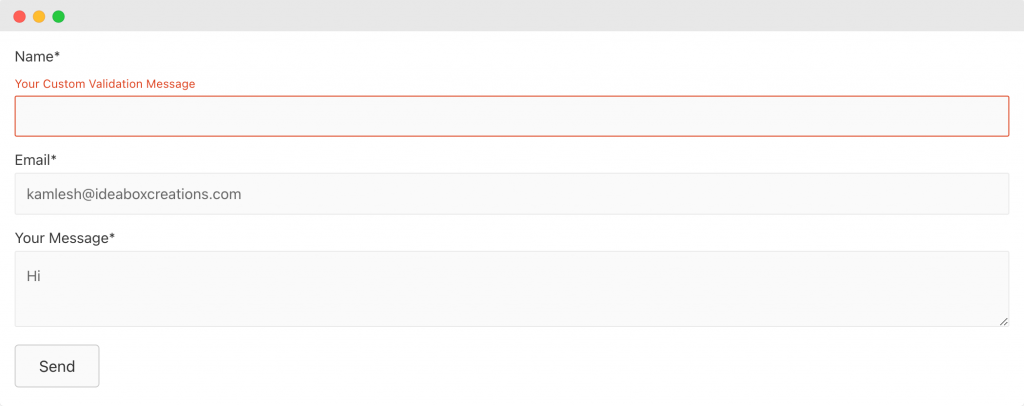
Here are the screenshots that will better explain how changing validation message looks after adding the above code to the site:
Before:
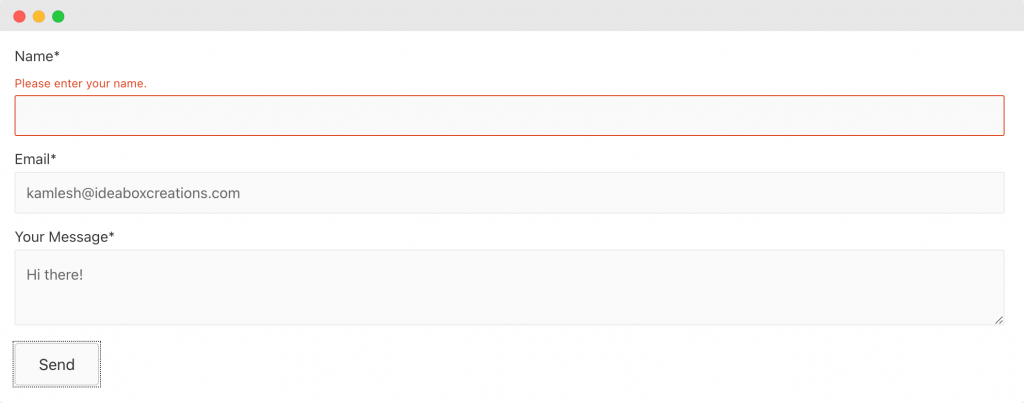
After: