
Skip to content

Documentation

Extensive Documentation for PowerPack & WooPack to help you with common questions and issues.

  1. Home
  2. Docs
  3. WooPack
  4. Modules
  5. Product Grid
  6. How to Enable Product Image Slider?

How to Enable Product Image Slider?

Image Sliders are a great way to showcase product images on shop pages. With WooPack Product Grid you can now show the images added to Product Gallery in a slider that slides images on mouse hover.
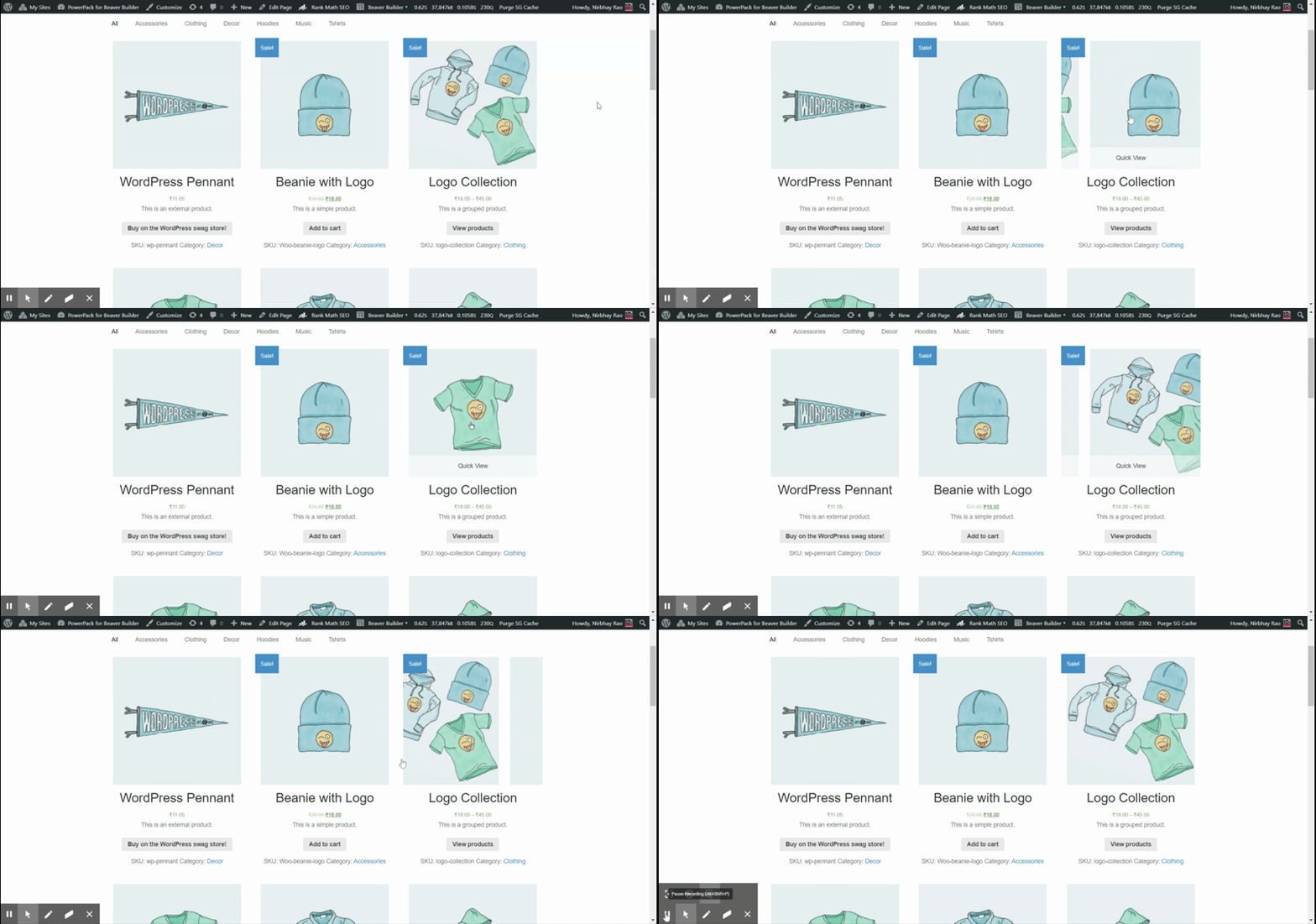
Product Image Slider Demo

Let us see how to do that!Make sure the site is running the WooPack version 1.3.9 or later.

1. Make sure images are added to the product gallery field in every product.
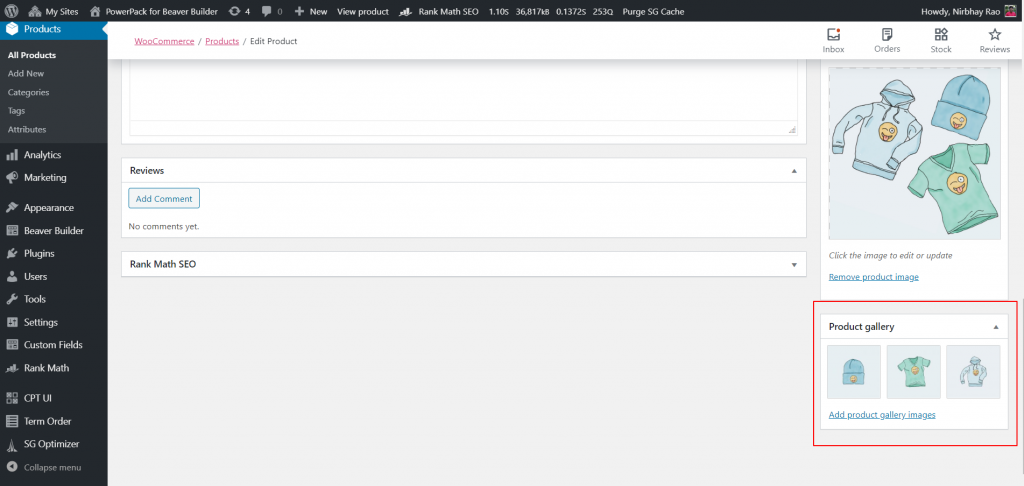
2. Go to Product Grid Settings > Content > Product Image > Enable Image Slider > Yes.
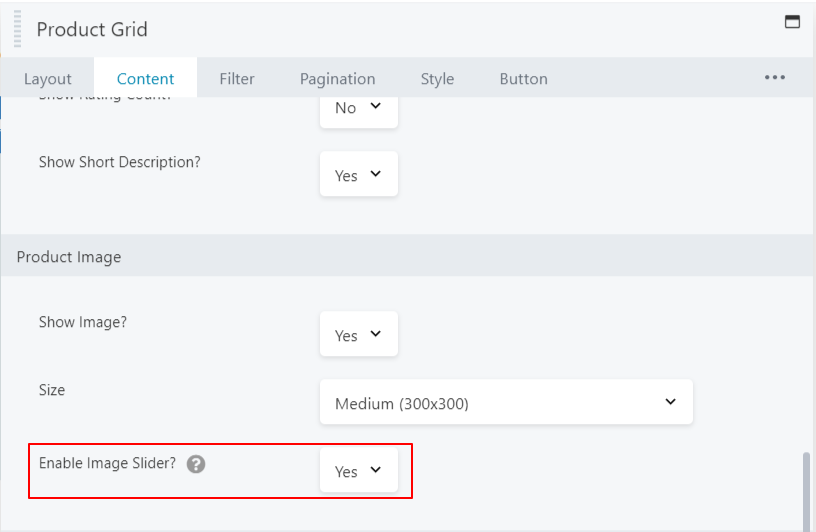
Enable Image Slider
Enable Image Slider
🎃 🎃

⚡ HALLOWEEN FLASH SALE! Save up to 40% OFF  Claim Your Treats ➔

🎃 Wait! Your Halloween Savings Are Still Here!

You're about to miss our biggest sale of the year. Save up to 40% and secure unlimited site licenses before the Halloween sale ends.

×