
Skip to content

Documentation

Extensive Documentation for PowerPack & WooPack to help you with common questions and issues.

  1. Home
  2. Docs
  3. General Information
  4. Getting Started
  5. How to activate the License?

How to activate the License?

It’s important to have an active license key to receive updates directly in your WP dashboard. Follow these steps to activate your PowerPack license:

  1. Get your License Key from your account > License Keys.
  2. Go to WP-Admin > Settings > PowerPack on your site.
  3. Enter your License Key and press the Activate License button
  4. Once activated you will see the “Active” status as shown below
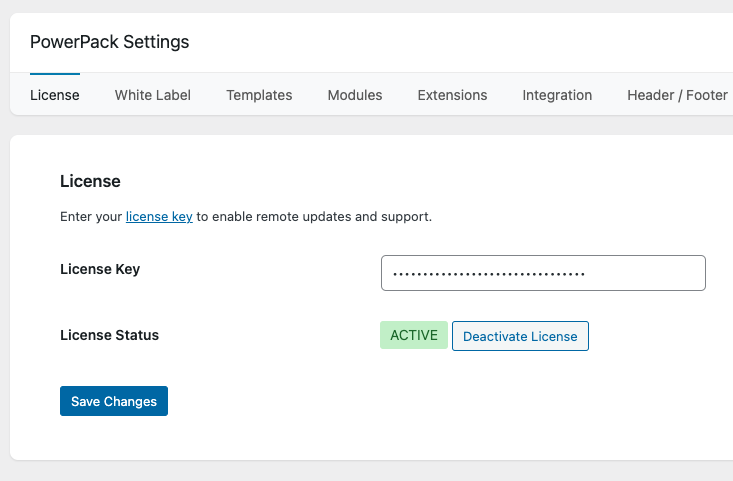
PowerPack Beaver Addons license activation
🎃 🎃

⚡ HALLOWEEN FLASH SALE! Save up to 40% OFF  Claim Your Treats ➔

🎃 Wait! Your Halloween Savings Are Still Here!

You're about to miss our biggest sale of the year. Save up to 40% and secure unlimited site licenses before the Halloween sale ends.

×